
Save 76% on AmyMind: The Lifetime AI Concept Map Maker
Your brain can hold a hundred bright ideas in one day, but your notes often look like a storm. One file becomes five. One outline becomes a long wall of text. And somehow the best ideas hide in the mess.
That is why a concept map maker can feel like a small superpower. Instead of reading and re-reading your notes, you can see the whole picture at once. You can spot what matters, connect the parts, and move forward with confidence.
AmyMind is built for this exact moment. It uses AI to turn your text into clean mind maps in seconds, then lets you export your work in formats people already use. It is also available on AppSumo as a lifetime deal, which makes it even more attractive if you want long-term value without monthly stress.
What is AmyMind (and why it feels so practical)
AmyMind is an AI-powered concept map maker that transforms messy text into a clear visual map. You can paste text, import a file, and watch your ideas become structured in a way that is easy to follow. This is not only about making something pretty. It is about making your thinking usable.
The best part is the flow. You start with the words you already have, then AmyMind shapes them into a map that you can edit, expand, and share. So you spend less time organizing and more time creating.
At a glance: who AmyMind is best for
- Content creators who need faster outlines and cleaner topic plans
- Educators who want lessons and readings turned into simple visuals
- Project managers who want to turn notes into plans that people can understand
In short, if your day includes ideas, planning, teaching, writing, or presenting, a concept map maker like AmyMind can keep you sharp and focused.
Why a concept map maker beats plain notes
Plain notes are fine until they get big. When they get big, they become heavy. You scroll more than you think. You copy and paste too much. And you still miss important connections.
A concept map maker solves that by giving your ideas a visible structure. A strong map shows the main topic, the supporting points, and the links between them. So instead of guessing what comes next, you can see it.
This is also why mind maps help teams. When you share a map, people understand faster because the structure is already there. Less explanation. Less back-and-forth. More progress.
Core features that make AmyMind feel fast
Many tools force you to build a map one small node at a time. AmyMind takes the opposite approach. It starts from your real notes, then organizes them with AI, and that is why this concept map maker feels quick from day one.
1) Convert text into a mind map in seconds
Paste a paragraph, and AmyMind converts it into a visual map. This is great when you have meeting notes, a blog draft, a lesson plan, or research points that need a clean shape. A concept map maker should respect your time, and this feature does exactly that.
2) Import files when your notes are already saved
Sometimes your ideas are not in a clipboard. They are in a document. AmyMind supports importing common formats so you can build a map without retyping everything.
- Import from Word documents
- Import from PDFs
- Import from Markdown files
When a concept map maker works with your existing files, it fits into real life, not just perfect workflows.
3) Ask AI questions inside your map
Once the map exists, you can ask AI questions right inside it. This is helpful when you want to clarify a point, add depth, or test your logic. It feels like having a calm helper sitting beside your ideas, and it makes this concept map maker more than a simple diagram tool.
4) AI Branch: grow your map when you feel stuck
Sometimes you know the topic but not the next steps. The AI Branch helps by suggesting related branches and connections. So your map can expand in a natural way, which is perfect for brainstorming and planning. If you want a concept map maker that helps you think more widely, this is one of the best features to have.
5) AI Explore: go deeper on one branch
AI Explore helps you zoom in. Pick a node and explore it in more detail. This is useful for lesson breakdowns, content sections, project steps, and study notes. A concept map maker is at its best when it can handle both the big picture and the small details, and this is how AmyMind supports both.
Editing tools that keep your maps clean and readable
Speed is great, but control matters too. AmyMind gives you editing features that help you shape the final map so it feels clear to you and to anyone you share it with. That is what separates a fun mind map from a concept map maker you can rely on.
Node notes, icons, and clearer context
You can add notes to nodes, include icons, and keep extra details close to the right idea. This helps when your map holds both “what” and “how.” It also keeps the main map clean while still saving important details.
Outline mode for quick text-style editing
Sometimes you want to edit a map like an outline. Outline mode gives you that view, so you can scan, reorder, and adjust quickly. This makes AmyMind feel like a concept map maker that supports both visual thinkers and list lovers.
Theme styles and a better look with less effort
Good visuals matter, especially when you present to a team, a client, or a class. AmyMind includes theme styles so your map looks polished without you spending time on design details. A concept map maker should make your work look organized, and themes help deliver that instantly.
Folders, sharing, and shortcuts
AmyMind includes a folder manager to keep projects sorted. It also supports easy sharing and handy shortcuts, so you move faster during busy work. These are small features, but they make a concept map maker feel smooth every day.
Export options: take your map anywhere
It is hard to love a tool if your work gets stuck inside it. AmyMind focuses on exporting, so you can move your ideas into the formats you actually use. This is where the tool becomes a real concept map maker for professional work, not just for brainstorming.
One-click exports (the formats people ask for)
AmyMind supports exporting mind maps into many formats, including:
- PPT (PowerPoint)
- DOC
- TXT
- MD (Markdown)
- PNG
So you can plan visually, then deliver in the format your boss, client, or students expect. A concept map maker that exports well saves time twice: once when organizing, and again when sharing.
XMind import/export support
AmyMind also added XMind import/export support (posted Sep 8, 2025). If you already use XMind or work with someone who does, this is a helpful bridge. It makes AmyMind a more flexible concept map maker for teams and mixed tool stacks.
Pitch Mode: turn a map into a presentation faster
Most people build a map, then rebuild the same content again in slides. That double work is exhausting. AmyMind includes Pitch Mode (posted Aug 4, 2025), which is designed to help you present directly from your map.
This matters when you have meetings, lessons, or project updates that need structure. With a concept map maker that supports presentation flow, you keep your thinking consistent from idea to delivery.
AI models and integrations (kept simple)
AmyMind supports GPT 3.5-Turbo and GPT-4. In plain terms, these AI models help generate maps, expand branches, and support your thinking while you build. If you want a concept map maker that does more than draw boxes, the AI engine is a big part of the value.
The AppSumo lifetime deal (76% off) is explained clearly
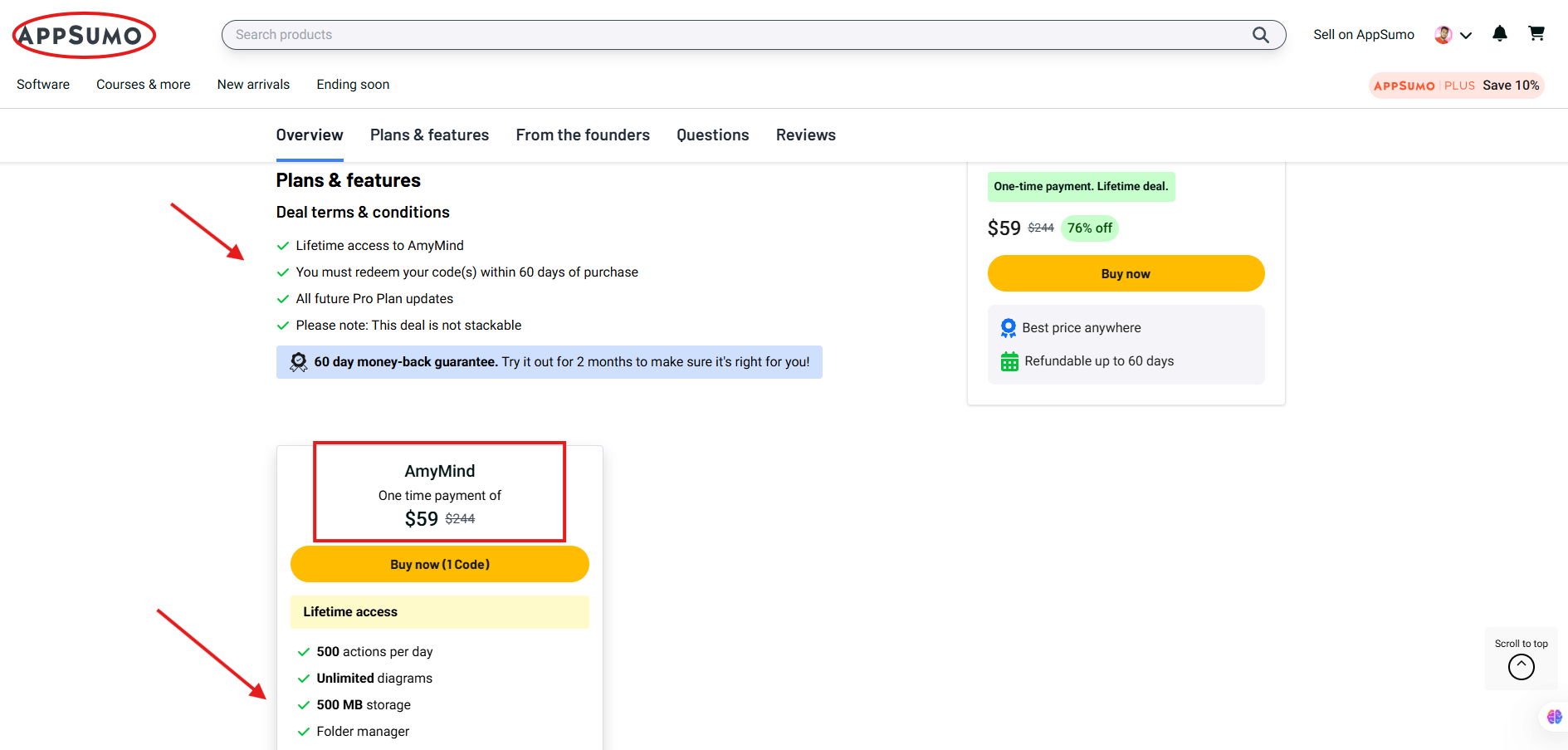
Here is the deal that many people care about. AmyMind is available on AppSumo as a one-time purchase lifetime deal. That means you pay once and keep using it, instead of paying every month or every year. For many buyers, that is the happiest way to buy a concept map maker.
Pricing snapshot
| Offer | Price | Compared to | Discount | Refund policy |
|---|---|---|---|---|
| AppSumo Lifetime Deal | $59 (one-time) | $244 | 76% off | Refundable up to 60 days |
What you get with the AppSumo lifetime plan
According to the listing details you provided, the lifetime plan includes:
- Lifetime access to AmyMind
- 500 actions per day
- Unlimited diagrams
- 500 MB storage
- Folder manager
- AI-assisted deep dive into mind maps
- Exports including PPT, PDF, DOC, TXT, MD, PNG
- Node notes and icons
- Theme styles
- Easy sharing
- Outline mode
- Shortcuts
This is a strong package if you want one concept map maker for writing, teaching, and planning, and you want it for the long run.
Deal terms (read this part once, and you are done)
- You must redeem your code(s) within 60 days of purchase
- You get all future Pro Plan updates
- This deal is not stackable
- 60-day money-back guarantee so you can test it safely
This kind of policy makes the decision calmer. You can try the concept map maker for real work, not just for five minutes, and then decide.
Use cases that feel real (not made up)
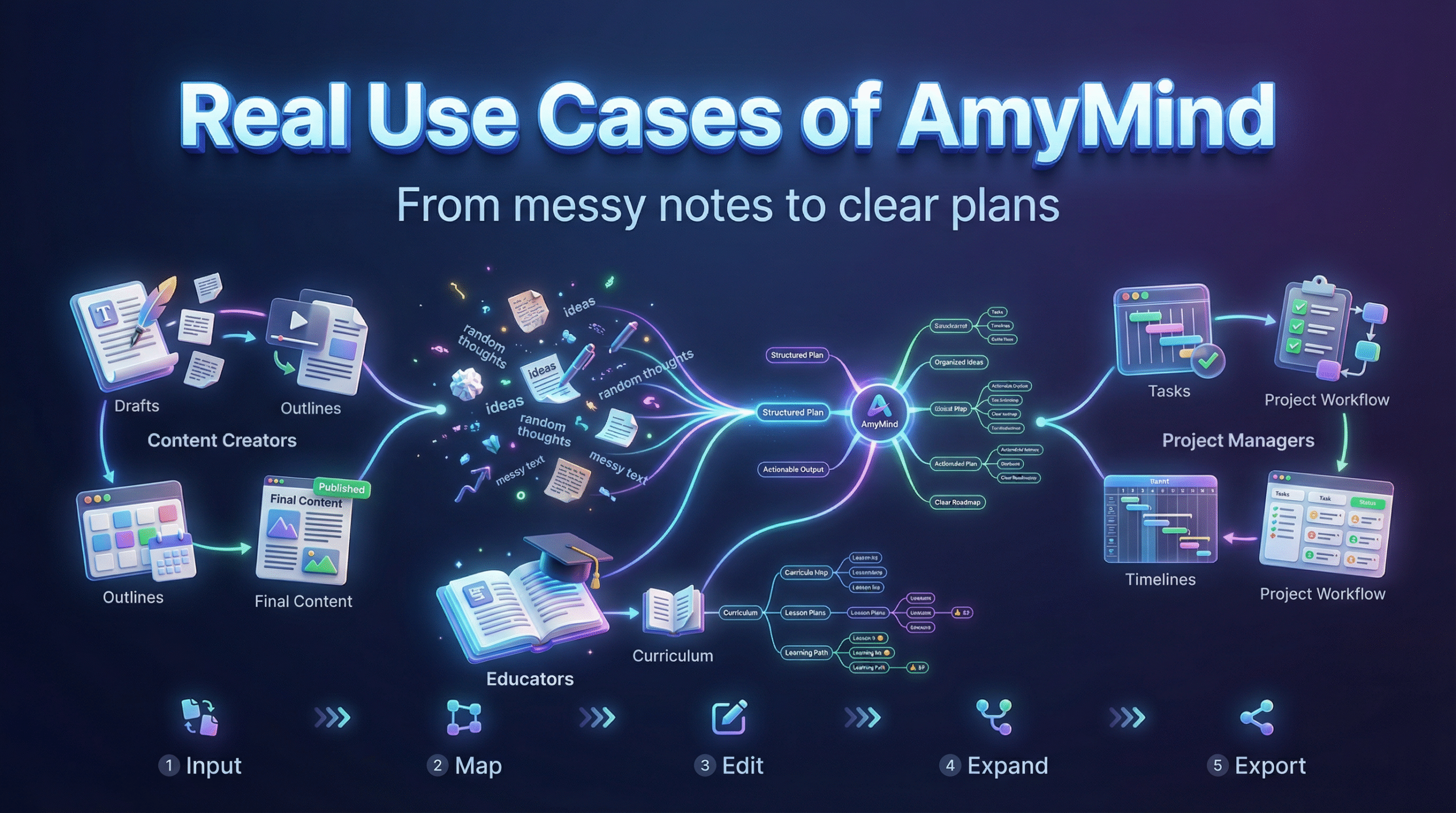
Different people use AmyMind in different ways, but the best results come when you start with messy text. That is when a concept map maker can do its best work.
For content creators: faster outlines that still feel thoughtful
If you write blog posts, YouTube scripts, newsletters, or product pages, you know the hardest part is structure. You may have good ideas, but they show up in random order.
With AmyMind, you can paste your rough draft, generate a map, and then reorder sections until the flow feels right. Then you can export the outline to Markdown or Word and start writing. That is how a concept map maker turns “ideas” into “publishable work.”
For educators: clearer lessons with less prep time
Teachers and trainers often have strong knowledge, but they need a simple way to present it. AmyMind helps by turning lessons into a map that students can follow. It also helps you break big topics into smaller pieces.
And when you need handouts, you can export to PDF or DOC. A concept map maker is not only for planning. It is also for teaching with clarity.
For project managers: turn notes into plans people understand
Projects fail when people misunderstand the plan. AmyMind can help by turning meeting notes into a map of phases, tasks, and responsibilities. This makes discussions shorter and decisions clearer.
When a concept map maker gives you a shared picture, it reduces confusion and helps teams move as one.
Step-by-step: how to use AmyMind without overthinking
You do not need a complicated system. You only need a repeatable flow. Here is a simple way to get value from this concept map maker every time.
Step 1: Start with a rough input
Paste text or import a file. Do not try to make it perfect. The mess is fine because AmyMind can shape it.
Step 2: Generate the first map
Let the AI create the structure. This is your first draft, not your final map.
Step 3: Edit for clarity
Rename nodes, combine duplicates, and remove anything that does not support the main goal. A concept map maker is most powerful when the map is simple and focused.
Step 4: Expand only where needed
Use AI Branch to widen the thinking, then use AI Explore to deepen the important parts. This keeps your map rich but not crowded.
Step 5: Export and share
Pick the format your work needs today. Export to PPT for a meeting, to DOC for a handout, to MD for writing, or to PNG for quick sharing. A concept map maker should help you finish, not just brainstorm.
Language support and updates (a good sign for the future)
It is easier to trust a tool when it keeps improving. AmyMind posted several updates in 2025, including:
- New language support: Brazilian Portuguese (Jul 10, 2025)
- Feature update: supports Korean, German, and Japanese (Jul 19, 2025)
- Pitch Mode update (Aug 4, 2025)
- XMind import/export support (Sep 8, 2025)
Updates like these show the product is active, and that matters when you choose a concept map maker you want to keep for years.
Quick comparison table: why AmyMind stands out
| What you need | How AmyMind helps | Why it matters |
|---|---|---|
| Turn messy notes into structure | AI converts text into mind maps | You stop losing ideas inside long paragraphs |
| Brainstorm faster | AI Branch and AI Explore | You get fresh angles without starting over |
| Deliver real files | Export to PPT, PDF, DOC, TXT, MD, PNG | Your map becomes a real output, not a dead-end |
| Present without rebuilding | Pitch Mode | You reduce double work and keep your logic consistent |
| Organize multiple projects | Folder manager, outline mode, shortcuts | Your concept map maker stays usable as your work grows |
FAQ (short and honest)
Is AmyMind only for mind maps?
It is focused on mind maps, but the real value is turning text into structure and exporting it. That makes it a concept map maker that fits writing, teaching, and planning.
Can I use it for teamwork?
Yes. The clean structure and export options make it easy to share plans, lessons, and outlines with others.
What makes the AppSumo deal special?
It is a one-time payment for lifetime access, plus a 60-day money-back guarantee. For many buyers, that is the easiest way to buy a concept map maker without long-term subscriptions.
Does it support modern AI models?
Yes. It lists GPT 3.5-Turbo and GPT-4 as integrations for AI-powered features.
Final thoughts: Should you try AmyMind?
If your notes feel scattered, you do not need more willpower. You need a better system. AmyMind gives you a simple system: start with text, turn it into a map, improve it with AI, then export it and use it.
That is why it works so well as a concept map maker for busy people. It does not ask you to become “more organized” first. It helps you become organized while you work.
And if you like deals that make sense, the AppSumo lifetime offer is worth a serious look. You get 76% off, you pay once, and you can test it with a 60-day refund window. For a concept map maker that can support content, education, and project planning, that is a strong value story.
To know about the latest LTD deal, please visit:
The SaaS Talk