

Top Analytics Tool for Marketing 2026: Measuremate
When you run campaigns today, you do not need more graphs. You need simple and clear answers that help you decide what to do next. That is exactly what Measuremate gives you. It turns complex GA4, GTM, and BigQuery setups into one friendly, guided workspace that feels like a human expert sitting beside you—without the big agency price tag.
Measuremate is fast becoming a top analytics tool for marketing in 2026 because it removes the pain of tracking, tagging, reporting, and analysis. Everything is built so that a marketer, founder, or solopreneur can use it with comfort and confidence. Each part of the platform is designed to save time, reduce mistakes, and bring you closer to the numbers that actually matter.
What Is Measuremate?
Measuremate is a modern analytics tool for marketing that works as your personal Google Analytics 4 assistant. It sits on top of GA4, Google Tag Manager, and BigQuery, and brings them together inside one clean, easy-to-use interface. Instead of jumping between many tabs and tools, you can manage your full analytics stack in one place.

With Measuremate, you can:
- Audit your GA4 setup with 125+ automatic checks
- Deploy tracking tags and pixels with ready-made templates
- Plan and validate your full measurement strategy
- Send automated reports to Slack, WhatsApp, Email, Figma, Sheets, and more
- Ask an AI co-pilot for GA4 help in plain language
- Get AI-based alerts when key metrics change
- Turn raw data into clear, actionable insights
You can use Measuremate as a web app, as a Figma plugin, and with Google Workspace. It is also available as a lifetime deal on AppSumo, which makes it even more attractive if you are searching for a cost-effective analytics tool for marketing that does not lock you into high monthly fees.
Why Marketers Need Measuremate in 2026
Most teams already have GA4 running, but they still feel uncertain about their numbers. Events break, reports do not match, and nobody is fully sure which campaign is really driving profit. Traditional dashboards can feel heavy and confusing, especially for non-technical teams.
Measuremate is built around one simple idea: you should not need a data science degree to use an analytics tool for marketing. The platform guides you step by step, shows you what is wrong, and gives you clear suggestions on how to fix it. This means you spend less time guessing and more time improving your campaigns.
For many teams, Measuremate has become their “shortcut” to clean data, faster reporting, and smarter decisions. Instead of living inside complex tools all day, they let Measuremate handle the hard parts and only focus on the insights that truly matter.
Who Is Measuremate For?
Measuremate is made for busy people who need a reliable analytics tool for marketing, not another complicated platform to learn. If you are tired of broken tracking and messy dashboards, this tool is designed with you in mind.
Measuremate is ideal for:
- Marketers and brand teams who run campaigns across many channels
- Marketing agencies that manage multiple client accounts and need standard tracking
- Solopreneurs and freelancers who want pro-level analytics without hiring a specialist
- Product managers and UX teams who care about user journeys and conversions
- Developers and testers who need clean specs and auto-generated dataLayer code
- Business leaders who want reliable numbers they can trust for decisions
If you often switch between GA4, GTM, Figma, Slack, Sheets, and BigQuery, Measuremate becomes your central hub. It acts as the one analytics tool for marketing that brings your tracking, reporting, and insights together in a smooth way.
Measuremate vs Traditional Analytics Setups
Many marketers see GA4 as powerful but also confusing. GTM is flexible but easy to mess up. BigQuery is strong but usually needs a developer or analyst. Measuremate sits on top of these tools and simplifies how you work with them every day.
| Area | Traditional Setup | With Measuremate |
|---|---|---|
| GA4 Audit | Manual checks, slow, often skipped | 125+ automated checks in one click |
| GTM Tagging | Custom code, debugging, dev time | 100+ pre-tested templates, push to GTM in one click |
| Measurement Planning | Spreadsheets, guesswork, unclear scopes | AI-based planning, templates, and auto dataLayer code |
| Reporting | Manual exports, static dashboards | Scheduled reports to Slack, Email, WhatsApp, Sheets, Figma |
| Insights | Need analysts to explore data | One-click funnels, journeys, attribution, RFM segments |
| Alerts | Rare, complex to set up | AI-based alerts on spikes, drops, and anomalies |
| Learning Curve | High for non-technical users | Friendly, guided interface built as an analytics tool for marketing |
Core Features That Make Measuremate Stand Out
1. GA4 Audit in One Click
A strong analytics tool for marketing must give you trust in your data. Measuremate starts with an in-depth GA4 audit that runs more than 125 checks across your property. In a single view, you can see exactly what is correctly set up and what is broken or missing.
The audit reviews:
- Basic GA4 configurations – property, data streams, and core settings
- Data privacy and access – roles, permissions, and sensitive data risks
- Tracking and setup – if key events and conversions are firing
- GA4 integrations – links with Google Ads, Search Console, and others
- Event data coverage – how well events and parameters describe user behavior
- Data quality issues – duplicates, missing parameters, and strange patterns
This gives you a clear, human-readable list of priorities. Instead of wondering what is wrong, you have a practical roadmap to fix your analytics and make your analytics tool for marketing setup solid and dependable.
2. Tracking and Setup With GTM Templates
Tagging should not feel fragile or risky. Measuremate includes more than 100 pre-built GTM templates, so you can set up tracking without writing a single line of code. Each template is designed to work with real-world campaigns and platforms.
You can quickly roll out:
- GA4 pageview tracking for stable visit data
- GA4 events for clicks, scrolls, sign-ups, and more
- GA4 ecommerce events like add-to-cart and purchase
- Server-side GA4 and tags for better performance and control
- Ad pixels for Google Ads, LinkedIn, TikTok, X, Snapchat, and others
- Meta Pixel and Conversion API for browser and server-side tracking
- Behavior tools like Hotjar and Microsoft Clarity
With “push to GTM in 1 click,” you remove a lot of manual work and reduce the chance of errors. This makes Measuremate a practical analytics tool for marketing teams who want to move fast without breaking their tracking.
3. Smart Measurement Planning
Most tracking problems start at the planning stage. When nobody is clear on what to track, events become messy and hard to maintain. Measuremate fixes this with a guided planning flow that uses AI and real templates.
Key planning features include:
- Figma integration to mark events directly on your designs
- Website crawler to scan pages and surface trackable elements
- AI-recommended events and parameters based on your goals
- 100+ event and parameter templates drawn from real use cases
- Auto GTM and GA4 configuration ready to publish
- JIRA integration to push tracking tasks to developers
- Raw data validation with BigQuery to confirm that your plan matches reality
This turns Measuremate into more than an analytics tool for marketing. It becomes a shared source of truth for marketers, designers, and developers who want clean and consistent tracking from day one.
4. Scheduled Reports to Every Channel
Reports only matter if people see them and understand them. Measuremate makes reporting automatic and flexible, so everyone gets the right data in the right place and at the right time. You set the rules once, and the system takes care of the rest.
With the scheduler, you can:
- Send GA4 data to Figma to create visual, contextual dashboards
- Deliver GA4 and BigQuery reports to Slack, Email, or WhatsApp
- Export BigQuery and GA4 data to Google Sheets or Excel
- Use line, bar, table, pie, and metric visuals for clear summaries
- Generate queries with AI or use pre-built BigQuery templates
These flows make Measuremate feel like a living analytics tool for marketing. Data flows into your tools regularly, so you do not have to log in and pull numbers each time someone asks for an update.
5. GA4 Co‑pilot (AI Assistant)
GA4 can be hard to navigate, especially if you are new to analytics or busy with other tasks. Measuremate includes a GA4 Co‑pilot that lets you talk to your data in plain language instead of digging through complex menus.
With the Co‑pilot, you can:
- Ask simple questions about your traffic and conversions
- Get instant answers and clear explanations
- Receive suggestions on what to look at next
- Learn GA4 concepts step by step as you use it
This AI layer makes Measuremate feel like a friendly partner, not just a technical platform. It turns the product into a conversational analytics tool for marketing that supports both beginners and more advanced users.
6. AI-Based Alerts on Your Key Metrics
Instead of checking dashboards every day, you can let Measuremate watch your core metrics for you. Its AI-based alerts follow your GA4 data and tell you when something important changes.
You can:
- Monitor any GA4 report for spikes, drops, or anomalies
- Choose daily, weekly, or monthly checks
- Set your own thresholds and limits
- Receive alerts directly in Slack, Email, or WhatsApp
These alerts give you a proactive analytics tool for marketing. You do not just see what already happened; you get early signals when performance shifts, so you can respond in time.
7. Actionable Insights, Not Just Dashboards
Measuremate focuses on decisions, not decoration. It reads your GA4 and BigQuery data and turns them into insights you can act on. Instead of endless charts, you get clear stories about how users move, where they leave, and which campaigns truly work.
Measuremate helps you with:
- Conversion journey insights that show winning paths
- Exit journey insights that reveal where users drop off
- Funnels that highlight bottlenecks and quick fixes
- RFM segmentation to understand your best customers
- Campaign performance drill-downs across channels
- Attribution journeys and overlaps that show channel roles
This is where Measuremate truly earns its place as a top analytics tool for marketing. It does not just tell you what the numbers are; it shows you what they mean and how you can improve.
Real-World Use Cases
Measuremate works across many types of teams, but the goal is always the same: make analytics easier, faster, and more useful for daily work. Here are a few practical ways teams use the platform.
- Brand and marketing teams use it to manage all tracking pixels, measure campaign results, and get clear attribution reports.
- Agencies standardize GA4 setups for all clients, ship GTM tags in less time, and send automated performance reports.
- Product and UX teams analyze top converting journeys, exit paths, and behavior on key pages.
- Designers bring GA4 data into Figma to design dashboards that are easy for stakeholders to understand.
- Developers and QA teams work with auto-generated dataLayer specs and validate events with real data.
- Leaders rely on clean dashboards and summaries instead of scattered reports and opinions.
In every case, Measuremate acts as the shared analytics tool for marketing that keeps data reliable and communication smooth across teams.
Integrations That Fit Your Stack
Measuremate connects with many tools you already use, so you do not have to rebuild your stack from scratch. It is designed to fit into the way you work today and slowly improve it over time.
Main integrations include:
- Google Analytics 4 for tracking and analysis
- Google Tag Manager and server-side GTM for tag management
- BigQuery for advanced reporting and raw data validation
- Figma for dashboards and measurement planning
- Slack and WhatsApp for alerts and scheduled reports
- Email for regular summaries to stakeholders
- Google Sheets and Excel for easy exports
- JIRA for handing off tracking tasks to developers
- OpenAI for AI-powered insights and automation
These connections make Measuremate a flexible analytics tool for marketing that strengthens your current workflow instead of fighting it.
Pricing and AppSumo Lifetime Deal
Measuremate offers standard pricing on its own site, but one of the strongest reasons many people try it now is the lifetime deal available on AppSumo. This gives you long-term value for a one-time cost.
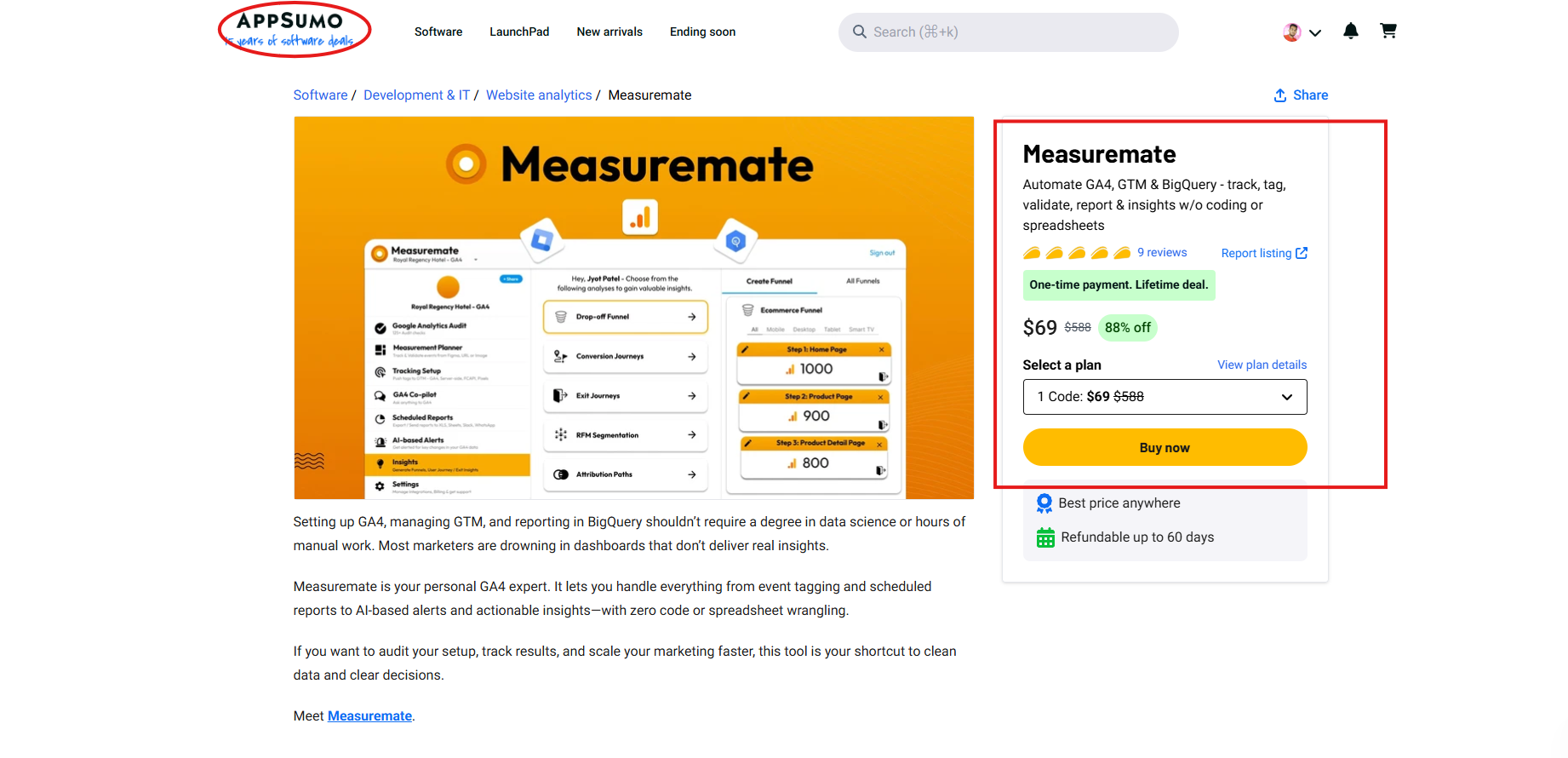
On AppSumo, you can:
- Get lifetime access with a single payment
- Unlock all core features: audits, GTM templates, planner, co‑pilot, reports, insights, and alerts
- Choose from tiers based on the number of projects and properties you manage
This makes Measuremate a budget-friendly analytics tool for marketing, especially for agencies, small teams, and solo founders who want to invest once and use it for years without extra subscriptions.
Why Measuremate Is a Top Analytics Tool for Marketing in 2026
To wrap up, Measuremate stands out for a few key reasons that matter in real life, not just on paper. First, it is built for marketers, not only analysts, with simple language, helpful flows, and a clear interface. Second, it covers the full journey from tracking and planning to reporting, alerting, and insights, so you do not need many scattered tools.
Third, AI is woven through the product, from co‑pilot support and event suggestions to BigQuery queries and alerts. This gives you the power of advanced analytics without the usual complexity. Fourth, the AppSumo lifetime deal and flexible plans make it an affordable analytics tool for marketing that can grow with you.
Finally, Measuremate focuses on decisions. It does not just show graphs; it helps you understand what is happening and what to do next. If you are looking for a modern, friendly, and powerful analytics tool for marketing in 2026, Measuremate is a strong choice to explore right now.
To know more about the lifetime deals, please visit our website.
THE SaaS TALK